AI Preview
See the possibilities
An automated 3D candidate from your drawing or photo, with visible assumptions and gaps.
Fully automatic
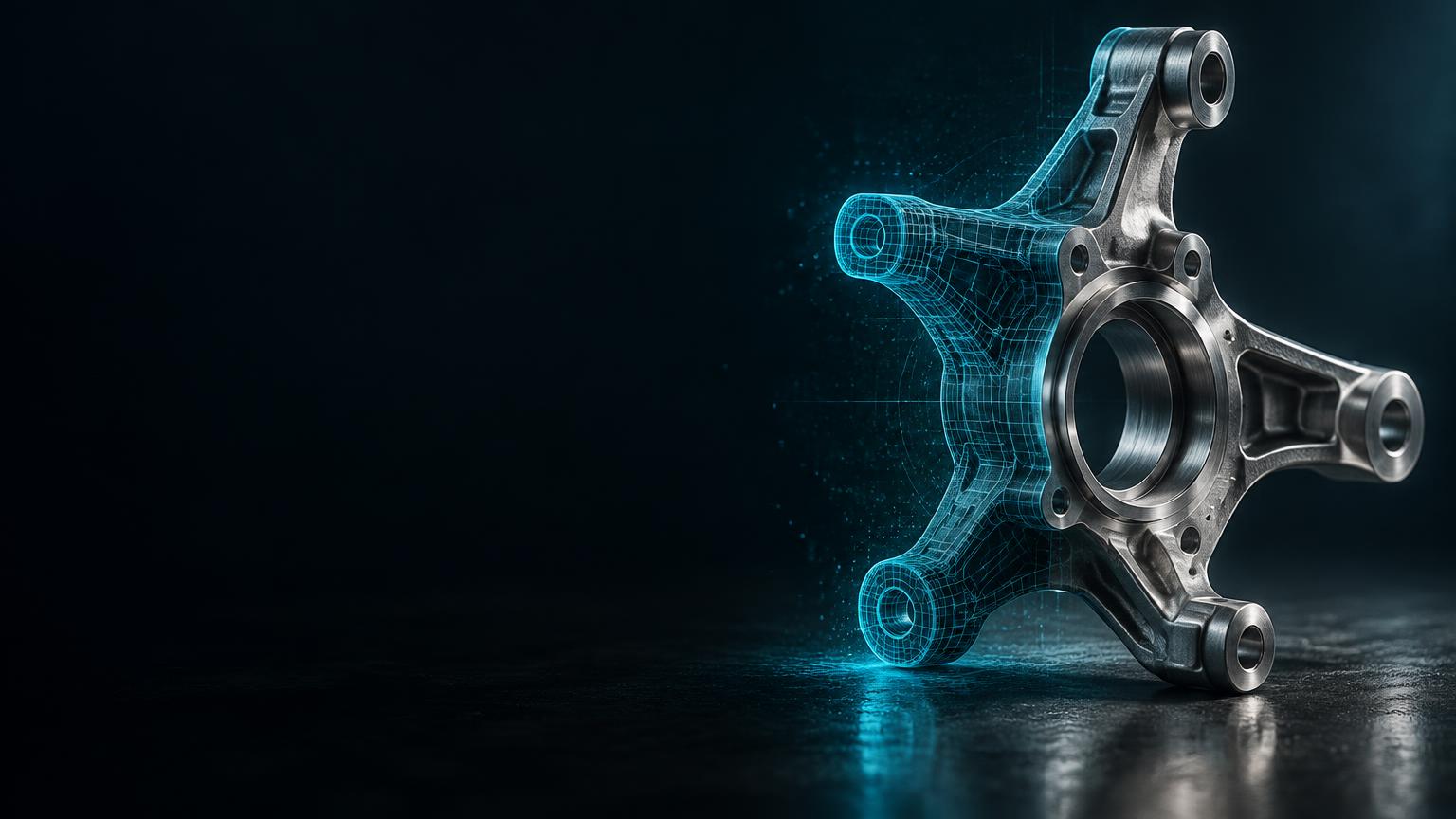


Voluminate for Onshape teams · up to three pilot teams
Bring legacy parts into a modern CAD workflow. Start with an AI reconstruction, make uncertainty visible, and bring in an engineer where the part demands it.
We’re looking for three founding pilot customers to shape the Voluminate - Onshape integration.
One part · three stages
Follow the same steering knuckle through the complete pilot path: source evidence, 2D-to-3D reconstruction with QA, then engineering completion in Onshape.
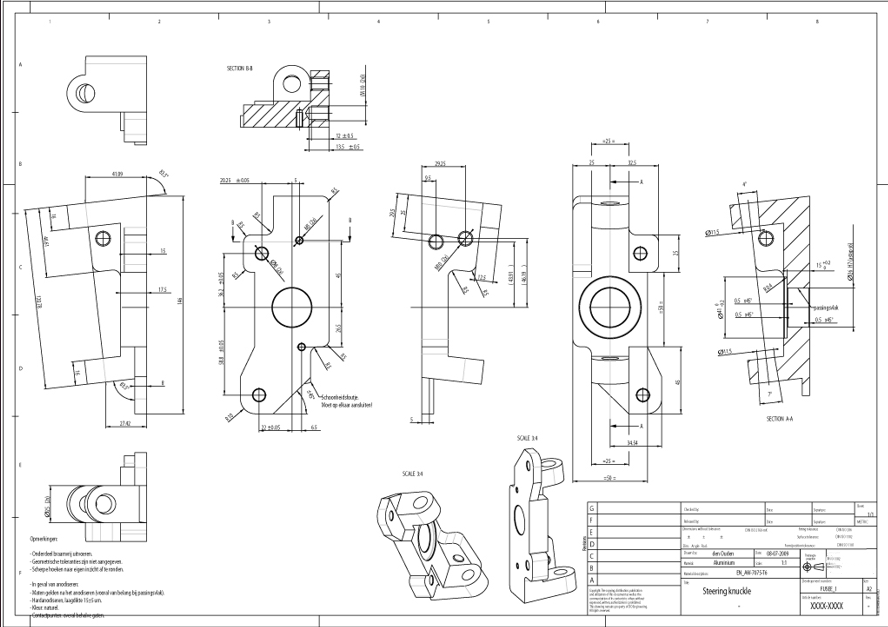
Dimensions, views and notes provide the source evidence.
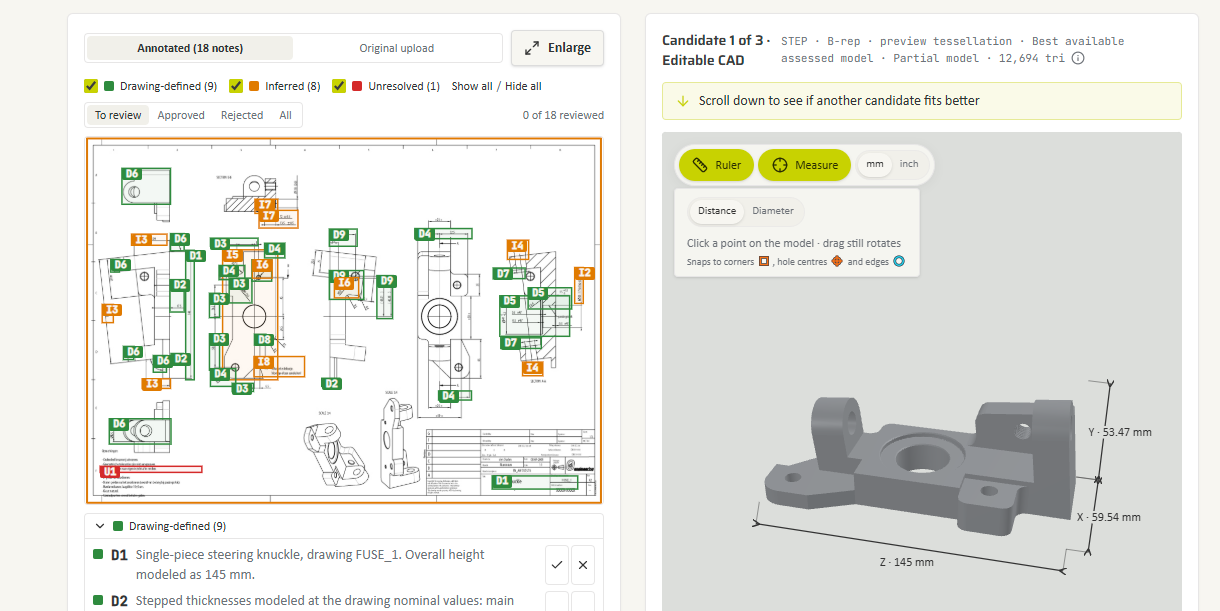
3D candidates with drawing-defined, inferred and unresolved details surfaced by the QA review.
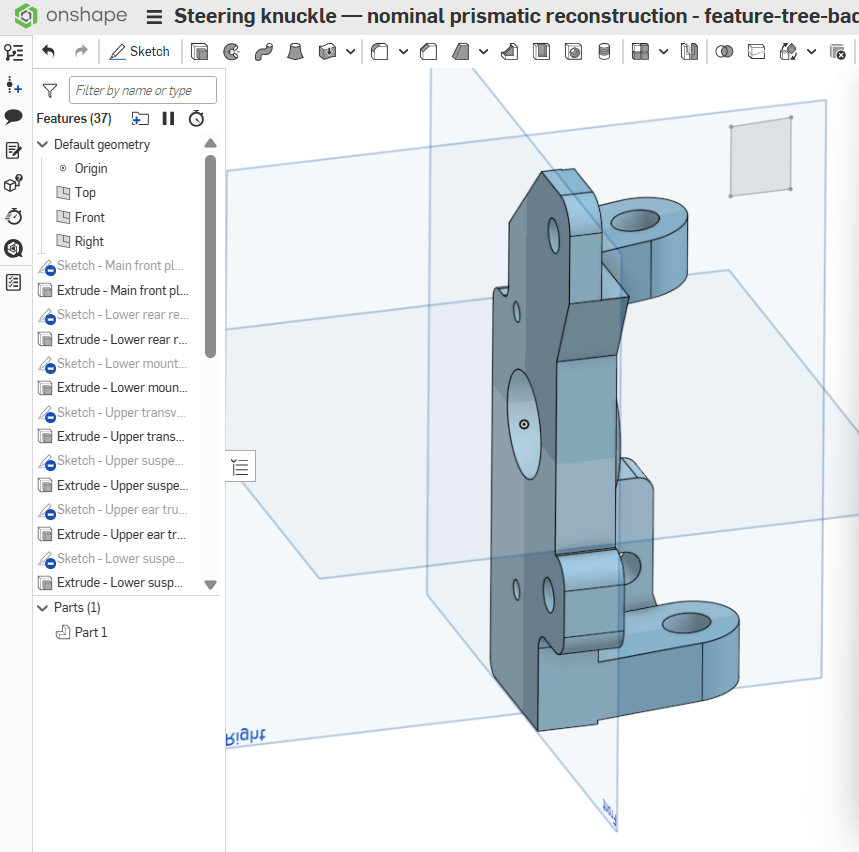
Finish the part with a full native feature tree.
A real steering-knuckle example from the proposed pilot workflow. It demonstrates the process, not a quality or readiness guarantee for every part.
Check what came from the drawing, and see every assumption that didn’t. Steering knuckle example: 18 notes, 9 to check, 9 to decide. This is what the review looks like in Voluminate:
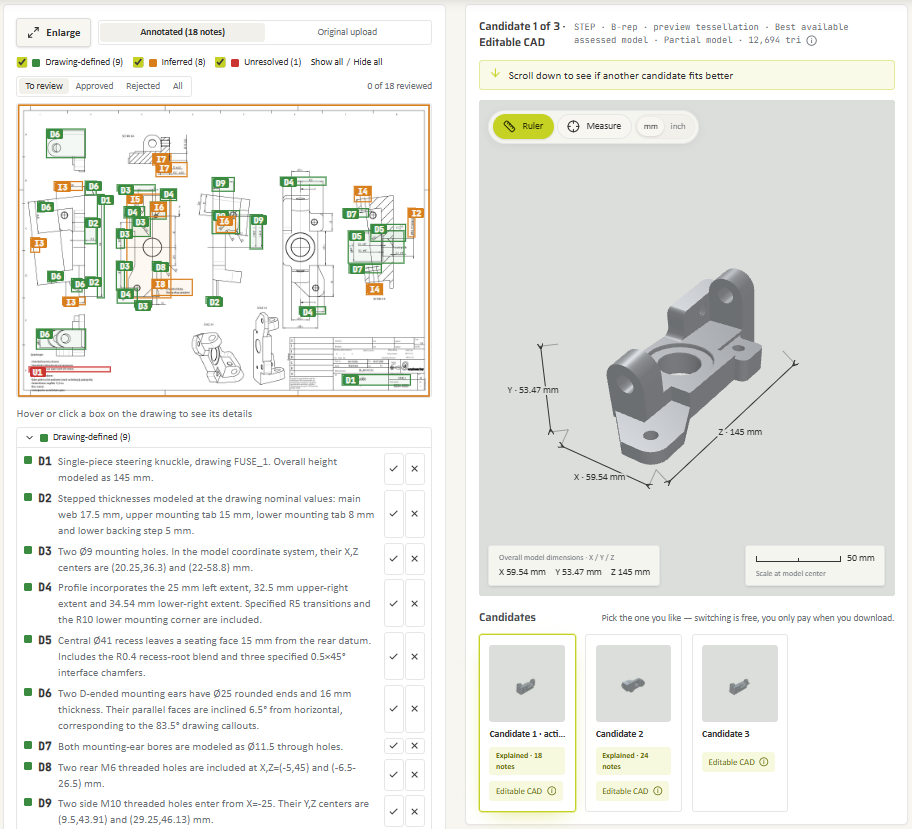
Start from up to three 3D candidates and select the one that fits your part best.
Check dimensions directly in the software with the ruler and measurement tool.
Checkmark or cross out every item. Inferred measurements are accepted or rejected, so the result becomes engineer-checked.
Everything left open ends up as a clear to-do list for finishing the part in Onshape.
Each feature points to the dimension it came from. Measure, compare, approve.
Every assumption becomes one item on your to-do list for Onshape.
Choose the right level
See the possibilities
An automated 3D candidate from your drawing or photo, with visible assumptions and gaps.
Explore editable geometry
A CAD-oriented reconstruction candidate to evaluate, not a promise of a production-ready model.
Review the unknowns
Discuss an engineer-reviewed scope and suitability for your particular part during the pilot.
Finish the critical work
A tailored engineering service when automated reconstruction is not sufficient for your needs.
Deliverables and availability are agreed for the part and pilot scope; automated candidates are not engineer sign-off.
Founding pilot · 50% off for the first 3 teams
Send up to 50 drawings. We convert them, you continue in Onshape, and together we measure how much time it saved you.
Time saved per part
Your baseline vs finishing time
Usable as CAD basis
Share of the 50 parts
Cost per part
Vs your internal or external rate
Turnaround
Upload to Part Studio in your workspace
Good pilot candidates
Thousands of drawings from SOLIDWORKS or other systems? Convert them in batches to native Onshape parts. Every part runs automatically first, and only the ones that need it go to an engineer.
The supplier is gone and so is the CAD. Rebuild a part from an old drawing, a scan or a photo when it has to be made again.
Clear the queue of parts waiting to be modelled. Your engineers review and finish instead of redrawing from scratch.
Founding pilot · 3 places
Tell us about them. If they’re a fit, they’ll be native Onshape parts within two weeks of kickoff.
Questions
A native Part Studio with a real feature tree: sketches, extrudes, holes and fillets in a sensible build order, with dimensions taken from your drawing. You edit it like a part your own team modelled, not an imported dumb solid.
It depends on your service level, and with AI CAD you often get both. AI CAD gives you several STEP candidates to choose from. They are optimized for geometric accuracy and come as solid bodies without design history. Where the part allows it, you also get a candidate with a feature tree built by the AI — delivered as a native Onshape document, so you edit it directly in your Onshape workspace. That gives you an editable starting point, though its geometry may be less precise than the geometry-only candidates. If you need a clean, fully parametric model, choose Engineer Built: an engineer rebuilds your part with a complete feature tree. A solid without history is still a fully usable working model. Every major CAD system edits these bodies through direct modeling: Siemens NX and Solid Edge (Synchronous Technology), PTC Creo (Flexible Modeling), SOLIDWORKS (Direct Editing). You can change dimensions, move faces, adjust holes and create drawings. For CAM, simulation, spare-part production and quoting, you don't need a feature tree at all. Are you planning variant families or long-term development of the part? Then a parametric model pays off, and you can upgrade any part to Engineer Built later.
Every result comes with an annotated drawing and a QA report. Each feature is marked as taken from the drawing, inferred, or unresolved, and you can measure the model directly in the browser to check it against the sheet.
Voluminate reconstructs each part up to three times and shows you the candidates side by side. Pick the one that fits best. Switching is free, and you only pay for the one you download.
Besides the native Onshape Part Studio: STEP, Parasolid (.x_t and .x_b), IGES, ACIS (.sat), JT, PVZ, Rhino (.3dm), STL, 3MF, OBJ, glTF and GLB.
Yes. Decades-old drawings, film scans and photos of the physical part all work as input. The QA report shows where poor legibility forced an assumption.
Every part runs automatically first, and only the ones that need it go to an engineer. During the pilot, we run large batches for you. Self-service batch upload is coming soon.
No. Voluminate shows what is drawing-defined, inferred and unresolved, along with a suitability verdict. A candidate may require more information or engineering work.
Not necessarily. Constraint coverage and editability depend on the source and the chosen route. Confirm the requirements for your part during pilot scoping.
There is no native integration yet. In the pilot we deliver all parts in one shared Onshape document that you copy into your workspace. Results from the three founding pilots decide the native integration, and founding customers get it first.
Automated processing can involve service providers. Human review is a separate part of the workflow. Read the current subprocessor disclosure and agree on any required confidentiality terms before sharing sensitive drawings. View subprocessors.
The first three Onshape teams get 50% off the standard price for their pilot. We agree the scope and price with you before any work begins, so you know the full price and your discount up front. Standard Voluminate options are on the pricing page.